
[FPGA] Designing a circuit that calculates integer cube root
Автор
Сообщение
news_bot ®
Стаж: 8 лет 4 месяца
Сообщений: 27286
Good day everyone. In this article I will tell you how to make a circuit on Verilog HDL on FPGA which will calculate cube root from integer number. I will write code in Quartus Prime Lite. My device is Cyclone IV E.Pins and declarationsFirstly, let’s create our top level module and specify which input/output pins we will use:Pins declaration partmodule cube_root( input clk, // Clock signal 50Mhz input [7:0] number, // Input value output reg [3:0] Anode_Activate, // Setter for activating segments output reg [7:0] LED_out // Value on the segment); Number - value from which we will extract cube root.Anode_Activate will specify currently activated segment of display. I will use only 3 segments: 1st for integer part of result, 2 last for fractional. Last segment is not used but specified in order to make updating working properly. LED_out specifies which number will be shown one current segment.clk – clock signal for updating segments.There are also other terms which can be declared in program:reg [4:0] result1; // First segments's valuereg [4:0] result2; // Second segments's valuereg [4:0] result3; // Third segments's valuereg [4:0] LED_BCD; // Current segments's value (not used)reg [19:0] refresh_counter; // Segmens update counterwire [1:0] LED_activating_counter; // Segment activation counter result1 – result3 - for storing result of calculations. LED_BCD stores which of digits will be shown on activated segment. About refresh_counter and LED_activating_counter I will talk in the next part.Showing results on 7-segment displayCyclone IV can’t show several digits activated simultaneously, therefore I had to implement segments updater for it:Updateralways @(posedge clk) begin refresh_counter <= refresh_counter + 1; end // Setting LED_activating_counter as 2 last bits of refresh_counter// in order to update segments each 5.2 msassign LED_activating_counter = refresh_counter[19:18];LED_activating_counter will store 2 last bits of refresh_counter. These bits will change their value from 00 to 11 each 2^18 / 50*10^6 s = 5.2 ms.Here is the code for setting currently activated segment according to LED_activating_counter:Segment setter// Setting one segment activated accorfing to LED_activating_counteralways @(*) begin case(LED_activating_counter) 2'b00: begin Anode_Activate = 4'b0111; LED_BCD = result1; LED_BCD[4] = 1; // This bit is responsible for showing dot end 2'b01: begin Anode_Activate = 4'b1011; LED_BCD = result2; LED_BCD[4] = 0; end 2'b10: begin Anode_Activate = 4'b1101; LED_BCD = result3; LED_BCD[4] = 0; end 2'b11: begin Anode_Activate = 4'b1110; LED_BCD = 5'b01011; end endcaseend// Setting value for activated segmentalways @(*) begin case(LED_BCD) 5'b00000: LED_out = 8'b00000011; // "0" 5'b00001: LED_out = 8'b10011111; // "1" 5'b00010: LED_out = 8'b00100101; // "2" 5'b00011: LED_out = 8'b00001101; // "3" 5'b00100: LED_out = 8'b10011001; // "4" 5'b00101: LED_out = 8'b01001001; // "5" 5'b00110: LED_out = 8'b01000001; // "6" 5'b00111: LED_out = 8'b00011111; // "7" 5'b01000: LED_out = 8'b00000001; // "8" 5'b01001: LED_out = 8'b00001001; // "9" 5'b01011: LED_out = 8'b11111111; // " " 5'b10000: LED_out = 8'b00000010; // "0." 5'b10001: LED_out = 8'b10011110; // "1." 5'b10010: LED_out = 8'b00100100; // "2." 5'b10011: LED_out = 8'b00001100; // "3." 5'b10100: LED_out = 8'b10011000; // "4." 5'b10101: LED_out = 8'b01001000; // "5." 5'b10110: LED_out = 8'b01000000; // "6." 5'b10111: LED_out = 8'b00011110; // "7." 5'b11000: LED_out = 8'b00000000; // "8." 5'b11001: LED_out = 8'b00001000; // "9." default: LED_out = 8'b00000000; // "8." endcaseendCalculating cube rootOur number value will be input though pins using this scheme: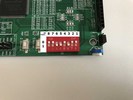
Maximum value of a number is 255, minimum – 0.There already exists algorithm in a book Hacker’s Delight which can calculate cube root (code is on Java):Java implementation of calculating cube rootpublic int cube_root(int val){ int s = 0; int y = 0; int b = 0; for (s=30;s>=0;s=s-3){ y = 2*y; b = (3*y*(y+1)+1) << s; if (x>=b){ x = x-b; y = y+1; } } return y;}But it can only output integer results. In order to overcome this restriction we need to multiply our input value on 10^(3*n), n – natural number, and then split results into digits. Our n last digits will be fractional part. I decided to show results with 2 digits after point. It means that we need to multiply input value on 1 000 000.Here is the code on Verilog:Calculating cube root on Verilog// Calculating cube root of numberalways@(*) begin : block_0 reg [31:0] x; integer s; integer y; integer b; integer i; x = number; x = x * 1_000_000; y = 0; for (s=30;s>=0;s=s-3) begin : block_calc y=y*2; b = (3*y*(y+1)+1) << s; if (x>=b) begin : block_1 x = x-b; y=y+1; end end result1 = y / 100; // First digit result2 = (y % 100)/10; // Second digit result3 = y % 10; // Third digitendThe whole code of my project:Code of the projectmodule cube_root( input clk, // Clock signal 50Mhz input [7:0] number, // Input value output reg [3:0] Anode_Activate, // Setter for activating segments output reg [7:0] LED_out // Value on the segment); reg [4:0] result1; // First segments's valuereg [4:0] result2; // Second segments's valuereg [4:0] result3; // Third segments's valuereg [4:0] LED_BCD; // Current segments's value (not used)reg [19:0] refresh_counter; // Segmens update counterwire [1:0] LED_activating_counter; // Segment activation counter // Calculating cubic root of numberalways@(*) begin : block_0 reg [31:0] x; integer s; integer y; integer b; integer i; x = number; x = x * 1_000_000; y = 0; for (s=30;s>=0;s=s-3) begin : block_calc y=y*2; b = (3*y*(y+1)+1) << s; if (x>=b) begin : block_1 x = x-b; y=y+1; end end result1 = y / 100; result2 = (y % 100)/10; result3 = y % 10;end// Changing refresh_counter to update segmentsalways @(posedge clk) begin refresh_counter <= refresh_counter + 1; end // Setting LED_activating_counter as 2 last bits of refresh_counter// in order to update segments each 5.2 msassign LED_activating_counter = refresh_counter[19:18]; // Setting one segment activated accorfing to LED_activating_counteralways @(*) begin case(LED_activating_counter) 2'b00: begin Anode_Activate = 4'b0111; LED_BCD = result1; LED_BCD[4] = 1; // This bit is responsible for showing dot end 2'b01: begin Anode_Activate = 4'b1011; LED_BCD = result2; LED_BCD[4] = 0; end 2'b10: begin Anode_Activate = 4'b1101; LED_BCD = result3; LED_BCD[4] = 0; end 2'b11: begin Anode_Activate = 4'b1110; LED_BCD = 5'b01011; end endcaseend // Setting value for activated segmentalways @(*) begin case(LED_BCD) 5'b00000: LED_out = 8'b00000011; // "0" 5'b00001: LED_out = 8'b10011111; // "1" 5'b00010: LED_out = 8'b00100101; // "2" 5'b00011: LED_out = 8'b00001101; // "3" 5'b00100: LED_out = 8'b10011001; // "4" 5'b00101: LED_out = 8'b01001001; // "5" 5'b00110: LED_out = 8'b01000001; // "6" 5'b00111: LED_out = 8'b00011111; // "7" 5'b01000: LED_out = 8'b00000001; // "8" 5'b01001: LED_out = 8'b00001001; // "9" 5'b01011: LED_out = 8'b11111111; // " " 5'b10000: LED_out = 8'b00000010; // "0." 5'b10001: LED_out = 8'b10011110; // "1." 5'b10010: LED_out = 8'b00100100; // "2." 5'b10011: LED_out = 8'b00001100; // "3." 5'b10100: LED_out = 8'b10011000; // "4." 5'b10101: LED_out = 8'b01001000; // "5." 5'b10110: LED_out = 8'b01000000; // "6." 5'b10111: LED_out = 8'b00011110; // "7." 5'b11000: LED_out = 8'b00000000; // "8." 5'b11001: LED_out = 8'b00001000; // "9." default: LED_out = 8'b00000000; // "8." endcase endendmodulePin assignments.Now, I have to specify which pins will be connected with declared ones in module. We can do it in pin planner: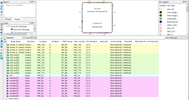
Results of our work.After compiling our project we can run it on FPGA. Here are photos with results of a program: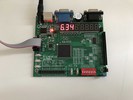
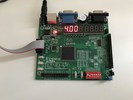
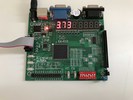
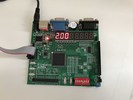
Useful links:Lesson on how to deal with 7-segment display on Cyclone IV- [FPGA Tutorial] Seven-Segment LED Display on Basys 3 FPGA - FPGA4student.comAlgorithm for calculating cube root on C - Пролистал 2-е издание Hacker’s Delight в поисках занятных задач для лабника по Verilog & FPGA — Silicon Russia & Ukraine (silicon-russia.com)
===========
Источник:
habr.com
===========
Похожие новости:
- [FPGA] Как прошла наша первая FPGA конференция?
- [FPGA] Зажигаем светодиодную ленту на базе WS2811 при помощи ПЛИС
- [FPGA, Matlab] Реализация нейросетей на ПЛИС
- [FPGA, Настройка Linux, Разработка на Raspberry Pi] Второй HDMI монитор к Raspberry Pi3 через DPI интерфейс и FPGA плату
- [Компиляторы, FPGA, Компьютерное железо, Процессоры] Запуск Unix-подобной ОС на самодельном CPU с помощью самодельного компилятора C (перевод)
- [Бизнес-модели, Компьютерное железо, Производство и разработка электроники, Процессоры] AMD ведет переговоры о покупке Xilinx, чтобы выйти на рынок ПЛИС
- [Системное программирование, Программирование микроконтроллеров, Компьютерное железо] Моделирование прошивки в среде ModelSim с использованием моделей на языке SystemC
- [FPGA, Анализ и проектирование систем, История IT, Старое железо, Электроника для начинающих] Обратная разработка XC2064 — первой микросхемы FPGA (перевод)
- [FPGA, Высокая производительность, Искусственный интеллект, Конференции, Программирование микроконтроллеров] Бывший вице-президент Sun, MIPS и DEC прокомметировал покупку компании ARM компанией NVidia
- [FPGA, Программирование микроконтроллеров, Конференции, Компьютерное железо, Электроника для начинающих] Молодожены, которых Интел привез в Калифорнию, дали интервью в лабнике от ВШЭ МИЭМ. Как повторить их достижение
Теги для поиска: #_fpga, #_verilog, #_fpga, #_cyclone_iv, #_fpga
Вы не можете начинать темы
Вы не можете отвечать на сообщения
Вы не можете редактировать свои сообщения
Вы не можете удалять свои сообщения
Вы не можете голосовать в опросах
Вы не можете прикреплять файлы к сообщениям
Вы не можете скачивать файлы
Текущее время: 19-Июн 08:41
Часовой пояс: UTC + 5
| Автор | Сообщение |
|---|---|
|
news_bot ®
Стаж: 8 лет 4 месяца |
|
|
Good day everyone. In this article I will tell you how to make a circuit on Verilog HDL on FPGA which will calculate cube root from integer number. I will write code in Quartus Prime Lite. My device is Cyclone IV E.Pins and declarationsFirstly, let’s create our top level module and specify which input/output pins we will use:Pins declaration partmodule cube_root( input clk, // Clock signal 50Mhz input [7:0] number, // Input value output reg [3:0] Anode_Activate, // Setter for activating segments output reg [7:0] LED_out // Value on the segment); Number - value from which we will extract cube root.Anode_Activate will specify currently activated segment of display. I will use only 3 segments: 1st for integer part of result, 2 last for fractional. Last segment is not used but specified in order to make updating working properly. LED_out specifies which number will be shown one current segment.clk – clock signal for updating segments.There are also other terms which can be declared in program:reg [4:0] result1; // First segments's valuereg [4:0] result2; // Second segments's valuereg [4:0] result3; // Third segments's valuereg [4:0] LED_BCD; // Current segments's value (not used)reg [19:0] refresh_counter; // Segmens update counterwire [1:0] LED_activating_counter; // Segment activation counter result1 – result3 - for storing result of calculations. LED_BCD stores which of digits will be shown on activated segment. About refresh_counter and LED_activating_counter I will talk in the next part.Showing results on 7-segment displayCyclone IV can’t show several digits activated simultaneously, therefore I had to implement segments updater for it:Updateralways @(posedge clk) begin refresh_counter <= refresh_counter + 1; end // Setting LED_activating_counter as 2 last bits of refresh_counter// in order to update segments each 5.2 msassign LED_activating_counter = refresh_counter[19:18];LED_activating_counter will store 2 last bits of refresh_counter. These bits will change their value from 00 to 11 each 2^18 / 50*10^6 s = 5.2 ms.Here is the code for setting currently activated segment according to LED_activating_counter:Segment setter// Setting one segment activated accorfing to LED_activating_counteralways @(*) begin case(LED_activating_counter) 2'b00: begin Anode_Activate = 4'b0111; LED_BCD = result1; LED_BCD[4] = 1; // This bit is responsible for showing dot end 2'b01: begin Anode_Activate = 4'b1011; LED_BCD = result2; LED_BCD[4] = 0; end 2'b10: begin Anode_Activate = 4'b1101; LED_BCD = result3; LED_BCD[4] = 0; end 2'b11: begin Anode_Activate = 4'b1110; LED_BCD = 5'b01011; end endcaseend// Setting value for activated segmentalways @(*) begin case(LED_BCD) 5'b00000: LED_out = 8'b00000011; // "0" 5'b00001: LED_out = 8'b10011111; // "1" 5'b00010: LED_out = 8'b00100101; // "2" 5'b00011: LED_out = 8'b00001101; // "3" 5'b00100: LED_out = 8'b10011001; // "4" 5'b00101: LED_out = 8'b01001001; // "5" 5'b00110: LED_out = 8'b01000001; // "6" 5'b00111: LED_out = 8'b00011111; // "7" 5'b01000: LED_out = 8'b00000001; // "8" 5'b01001: LED_out = 8'b00001001; // "9" 5'b01011: LED_out = 8'b11111111; // " " 5'b10000: LED_out = 8'b00000010; // "0." 5'b10001: LED_out = 8'b10011110; // "1." 5'b10010: LED_out = 8'b00100100; // "2." 5'b10011: LED_out = 8'b00001100; // "3." 5'b10100: LED_out = 8'b10011000; // "4." 5'b10101: LED_out = 8'b01001000; // "5." 5'b10110: LED_out = 8'b01000000; // "6." 5'b10111: LED_out = 8'b00011110; // "7." 5'b11000: LED_out = 8'b00000000; // "8." 5'b11001: LED_out = 8'b00001000; // "9." default: LED_out = 8'b00000000; // "8." endcaseendCalculating cube rootOur number value will be input though pins using this scheme: 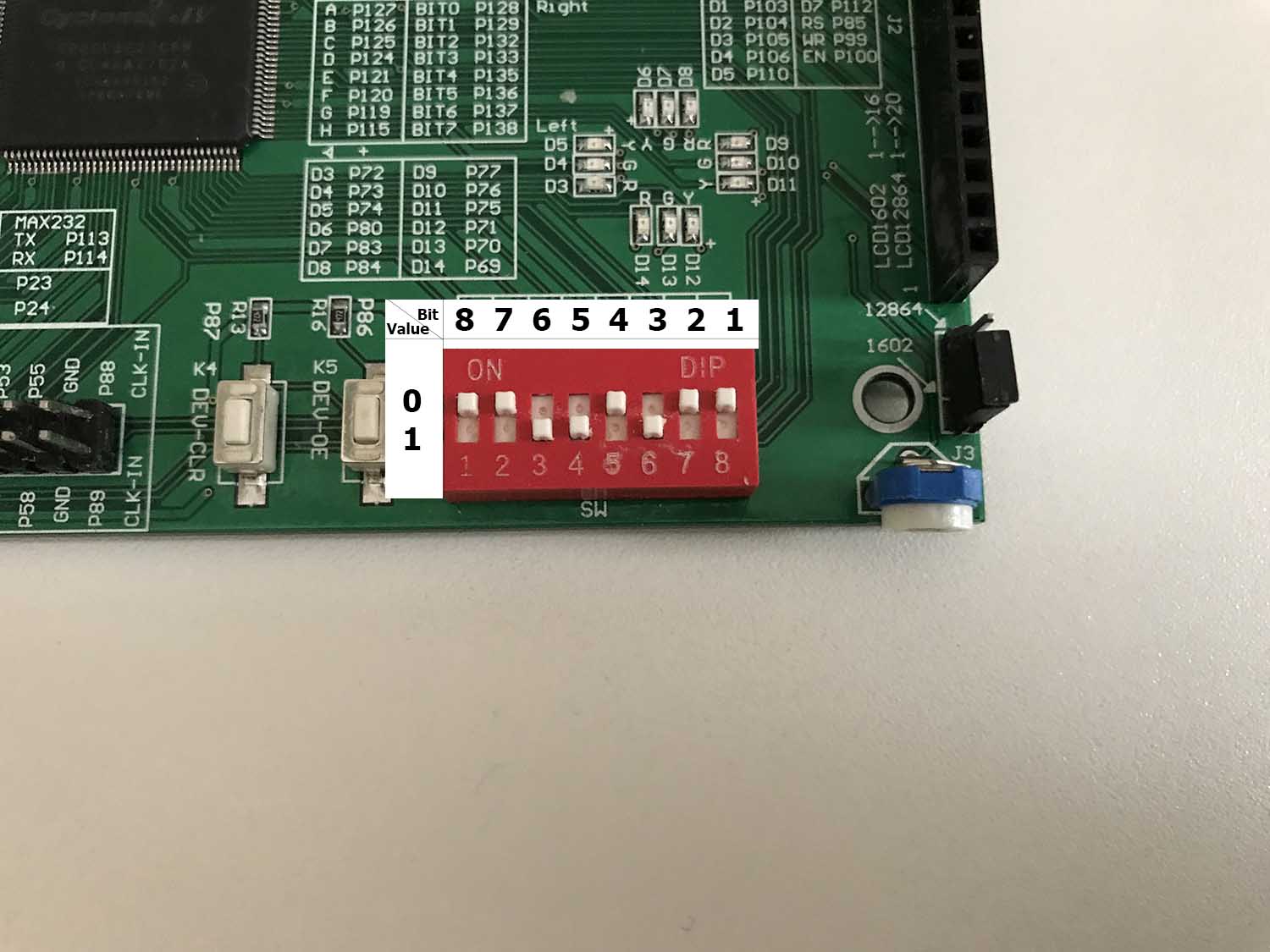 Maximum value of a number is 255, minimum – 0.There already exists algorithm in a book Hacker’s Delight which can calculate cube root (code is on Java):Java implementation of calculating cube rootpublic int cube_root(int val){ int s = 0; int y = 0; int b = 0; for (s=30;s>=0;s=s-3){ y = 2*y; b = (3*y*(y+1)+1) << s; if (x>=b){ x = x-b; y = y+1; } } return y;}But it can only output integer results. In order to overcome this restriction we need to multiply our input value on 10^(3*n), n – natural number, and then split results into digits. Our n last digits will be fractional part. I decided to show results with 2 digits after point. It means that we need to multiply input value on 1 000 000.Here is the code on Verilog:Calculating cube root on Verilog// Calculating cube root of numberalways@(*) begin : block_0 reg [31:0] x; integer s; integer y; integer b; integer i; x = number; x = x * 1_000_000; y = 0; for (s=30;s>=0;s=s-3) begin : block_calc y=y*2; b = (3*y*(y+1)+1) << s; if (x>=b) begin : block_1 x = x-b; y=y+1; end end result1 = y / 100; // First digit result2 = (y % 100)/10; // Second digit result3 = y % 10; // Third digitendThe whole code of my project:Code of the projectmodule cube_root( input clk, // Clock signal 50Mhz input [7:0] number, // Input value output reg [3:0] Anode_Activate, // Setter for activating segments output reg [7:0] LED_out // Value on the segment); reg [4:0] result1; // First segments's valuereg [4:0] result2; // Second segments's valuereg [4:0] result3; // Third segments's valuereg [4:0] LED_BCD; // Current segments's value (not used)reg [19:0] refresh_counter; // Segmens update counterwire [1:0] LED_activating_counter; // Segment activation counter // Calculating cubic root of numberalways@(*) begin : block_0 reg [31:0] x; integer s; integer y; integer b; integer i; x = number; x = x * 1_000_000; y = 0; for (s=30;s>=0;s=s-3) begin : block_calc y=y*2; b = (3*y*(y+1)+1) << s; if (x>=b) begin : block_1 x = x-b; y=y+1; end end result1 = y / 100; result2 = (y % 100)/10; result3 = y % 10;end// Changing refresh_counter to update segmentsalways @(posedge clk) begin refresh_counter <= refresh_counter + 1; end // Setting LED_activating_counter as 2 last bits of refresh_counter// in order to update segments each 5.2 msassign LED_activating_counter = refresh_counter[19:18]; // Setting one segment activated accorfing to LED_activating_counteralways @(*) begin case(LED_activating_counter) 2'b00: begin Anode_Activate = 4'b0111; LED_BCD = result1; LED_BCD[4] = 1; // This bit is responsible for showing dot end 2'b01: begin Anode_Activate = 4'b1011; LED_BCD = result2; LED_BCD[4] = 0; end 2'b10: begin Anode_Activate = 4'b1101; LED_BCD = result3; LED_BCD[4] = 0; end 2'b11: begin Anode_Activate = 4'b1110; LED_BCD = 5'b01011; end endcaseend // Setting value for activated segmentalways @(*) begin case(LED_BCD) 5'b00000: LED_out = 8'b00000011; // "0" 5'b00001: LED_out = 8'b10011111; // "1" 5'b00010: LED_out = 8'b00100101; // "2" 5'b00011: LED_out = 8'b00001101; // "3" 5'b00100: LED_out = 8'b10011001; // "4" 5'b00101: LED_out = 8'b01001001; // "5" 5'b00110: LED_out = 8'b01000001; // "6" 5'b00111: LED_out = 8'b00011111; // "7" 5'b01000: LED_out = 8'b00000001; // "8" 5'b01001: LED_out = 8'b00001001; // "9" 5'b01011: LED_out = 8'b11111111; // " " 5'b10000: LED_out = 8'b00000010; // "0." 5'b10001: LED_out = 8'b10011110; // "1." 5'b10010: LED_out = 8'b00100100; // "2." 5'b10011: LED_out = 8'b00001100; // "3." 5'b10100: LED_out = 8'b10011000; // "4." 5'b10101: LED_out = 8'b01001000; // "5." 5'b10110: LED_out = 8'b01000000; // "6." 5'b10111: LED_out = 8'b00011110; // "7." 5'b11000: LED_out = 8'b00000000; // "8." 5'b11001: LED_out = 8'b00001000; // "9." default: LED_out = 8'b00000000; // "8." endcase endendmodulePin assignments.Now, I have to specify which pins will be connected with declared ones in module. We can do it in pin planner: 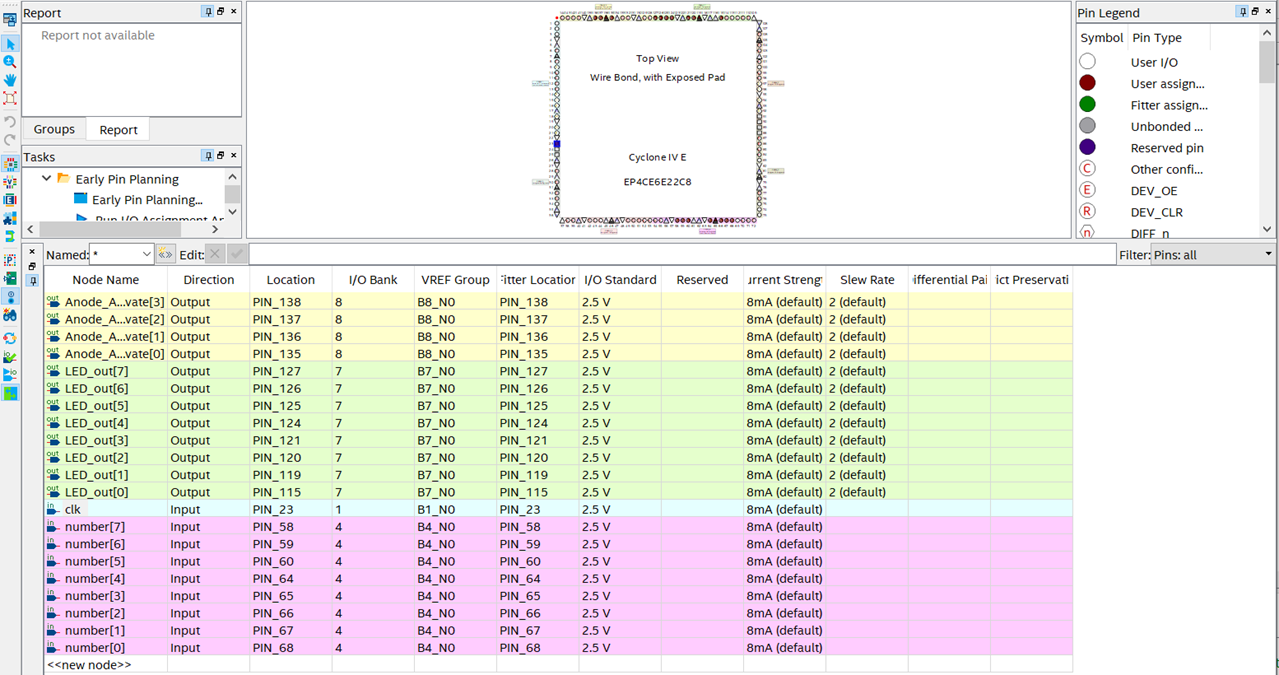 Results of our work.After compiling our project we can run it on FPGA. Here are photos with results of a program: 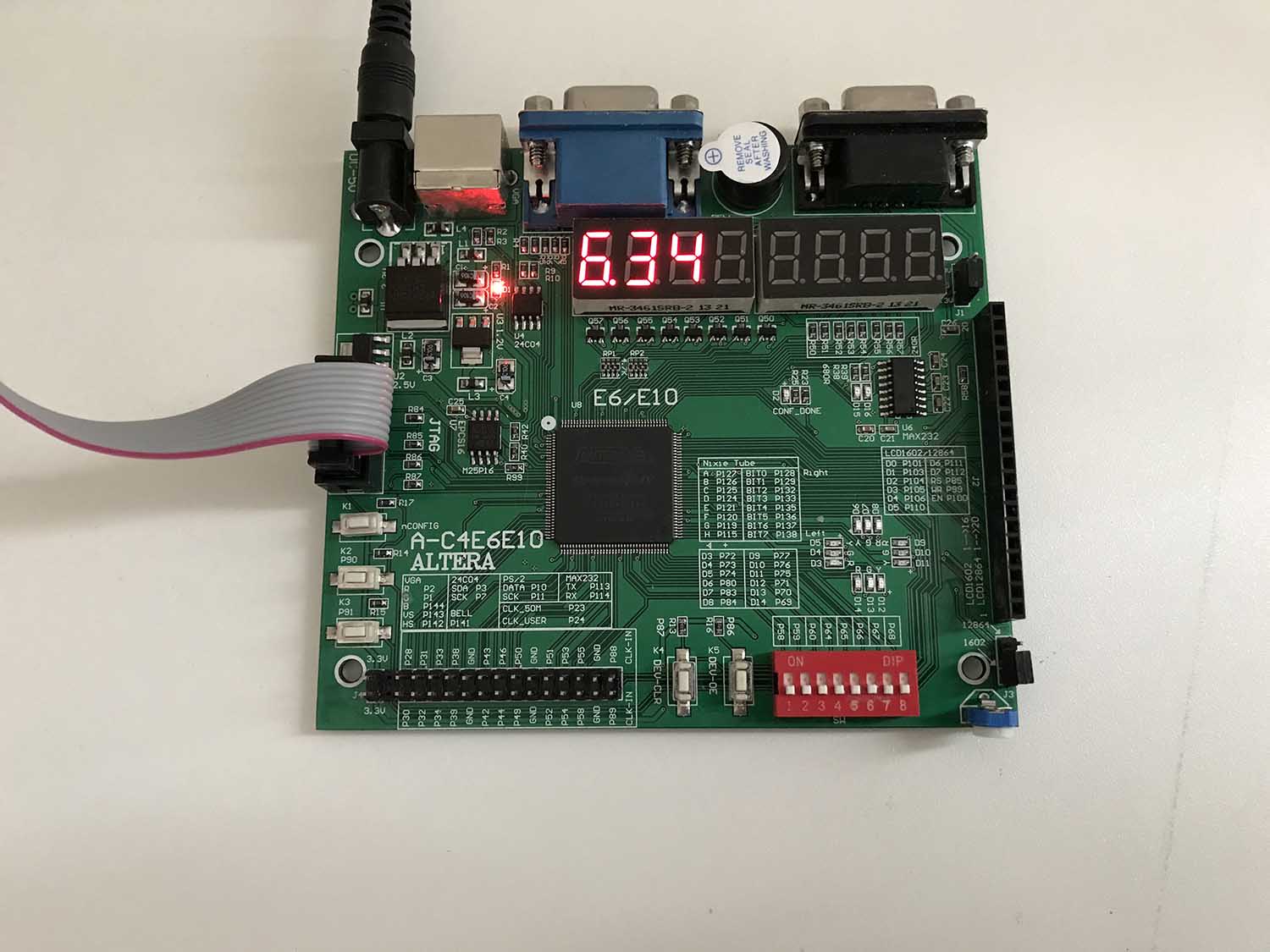 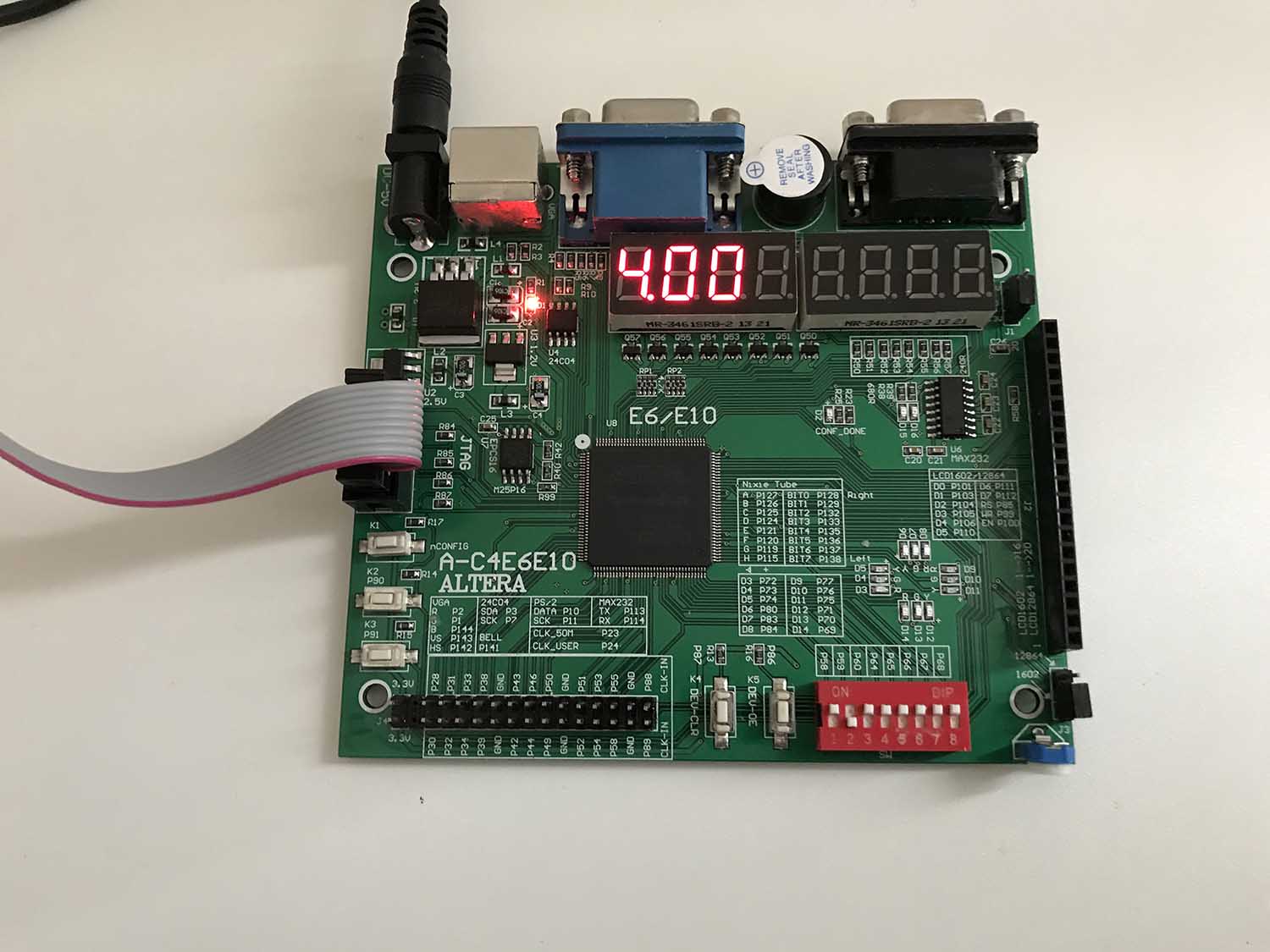 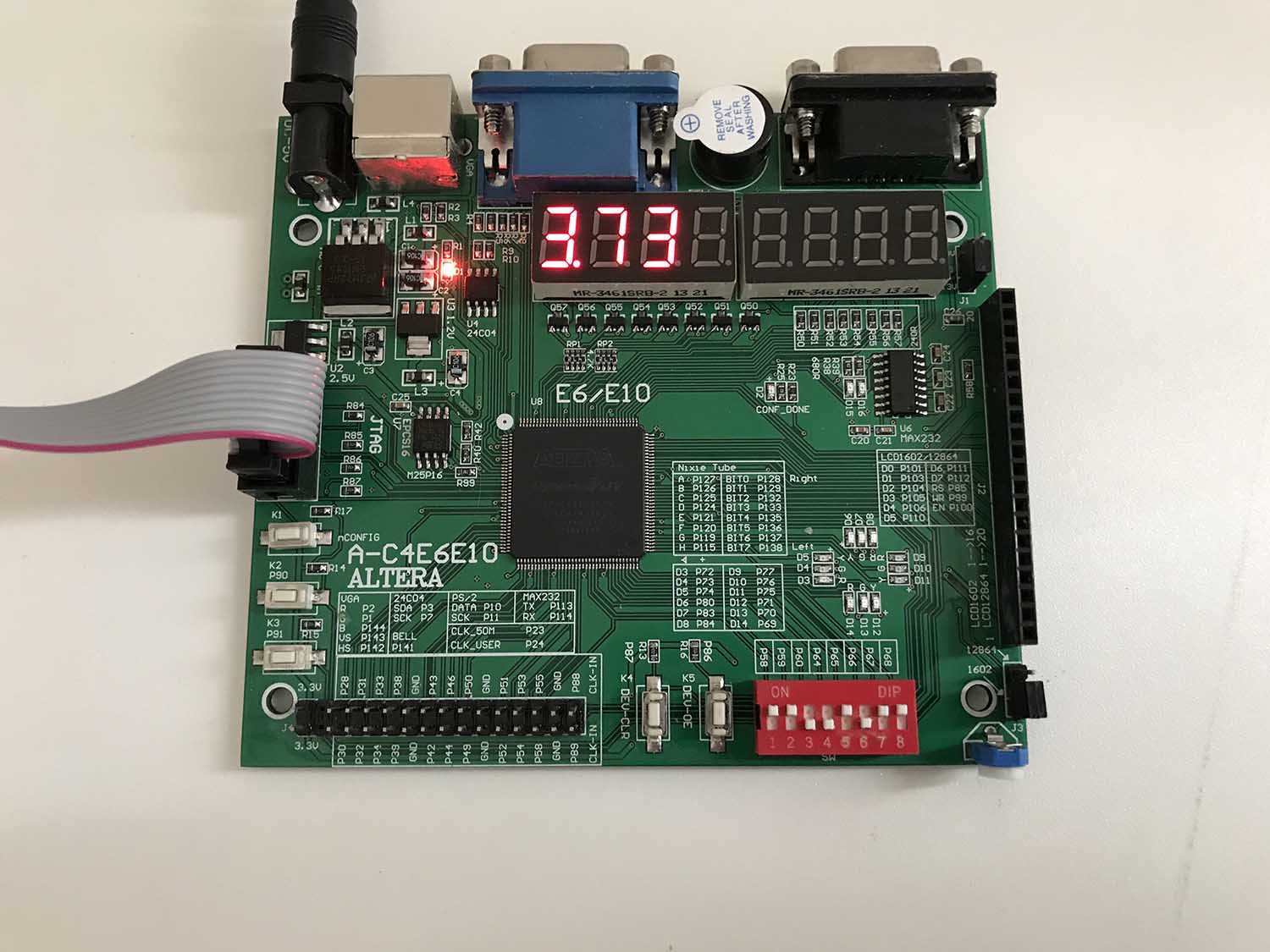 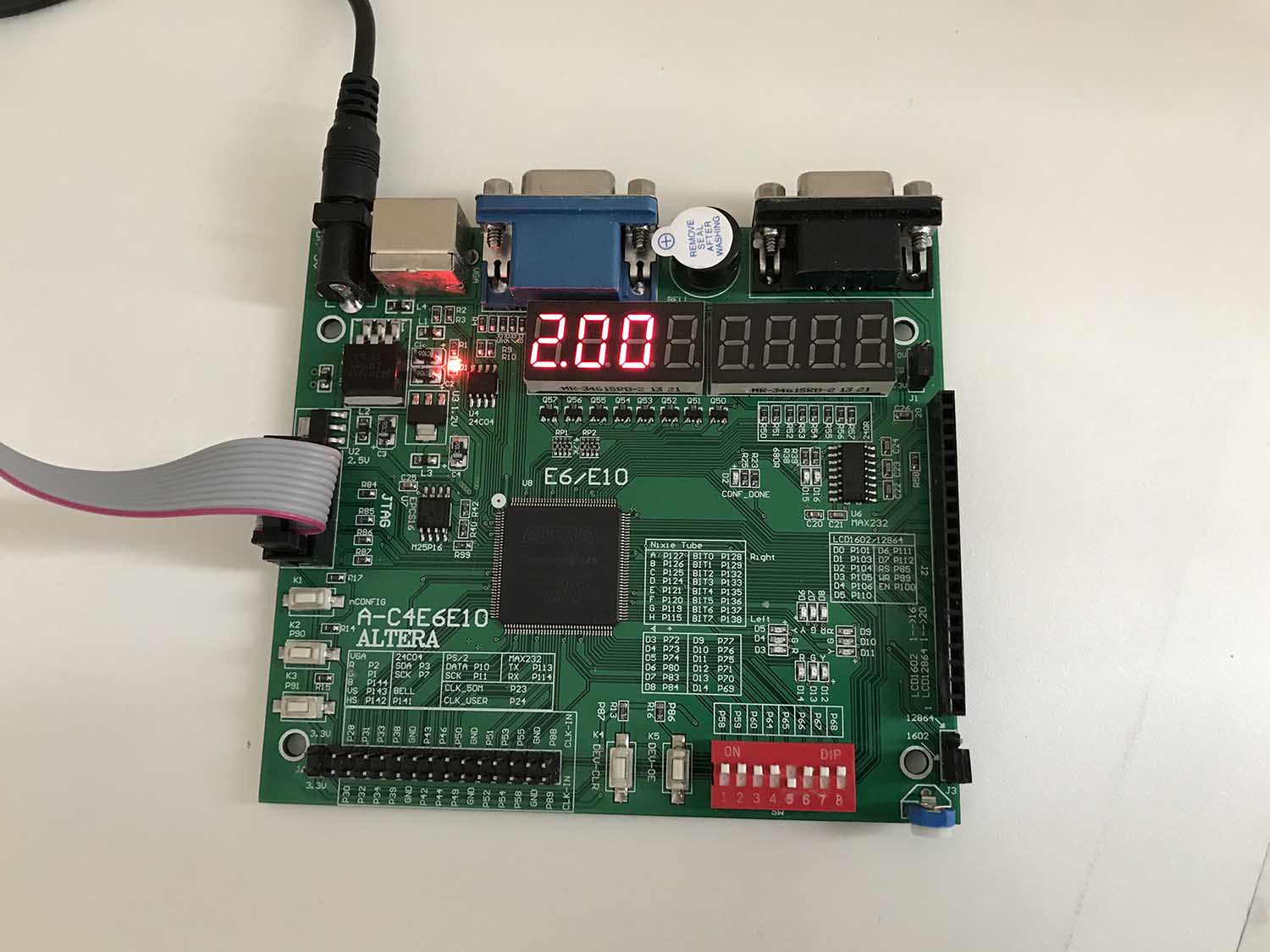 Useful links:Lesson on how to deal with 7-segment display on Cyclone IV- [FPGA Tutorial] Seven-Segment LED Display on Basys 3 FPGA - FPGA4student.comAlgorithm for calculating cube root on C - Пролистал 2-е издание Hacker’s Delight в поисках занятных задач для лабника по Verilog & FPGA — Silicon Russia & Ukraine (silicon-russia.com) =========== Источник: habr.com =========== Похожие новости:
|
|

Вы не можете начинать темы
Вы не можете отвечать на сообщения
Вы не можете редактировать свои сообщения
Вы не можете удалять свои сообщения
Вы не можете голосовать в опросах
Вы не можете прикреплять файлы к сообщениям
Вы не можете скачивать файлы
Вы не можете отвечать на сообщения
Вы не можете редактировать свои сообщения
Вы не можете удалять свои сообщения
Вы не можете голосовать в опросах
Вы не можете прикреплять файлы к сообщениям
Вы не можете скачивать файлы
Текущее время: 19-Июн 08:41
Часовой пояс: UTC + 5